
Creating a DNS Server Profile
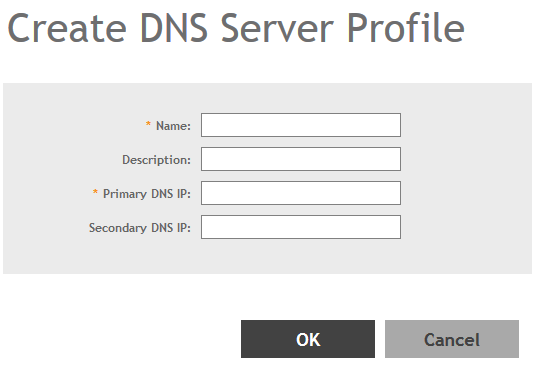
By creating a DNS server profile, you can specify the primary and secondary address of the DNS server that will be used to transmit data packets to the DNS server.
-
Click
Create.
The Create DNS Server Profile page appears.Figure 155 Creating a DNS Server Profile
You have created the DNS Server Profile.
NOTE
You can also edit, clone and delete the profile by selecting the options
Configure,
Clone and
Delete respectively, from the
DNS Servers tab.